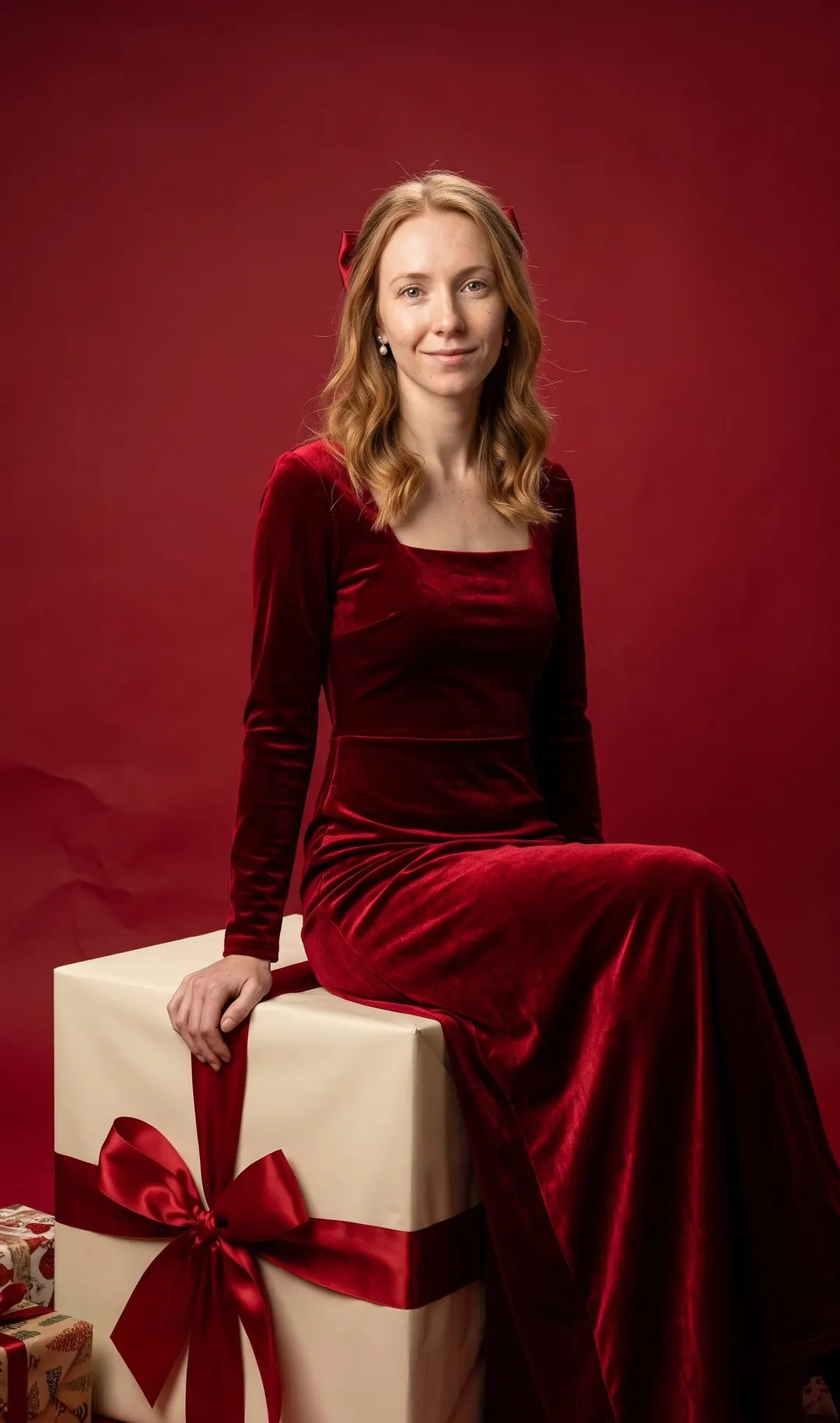
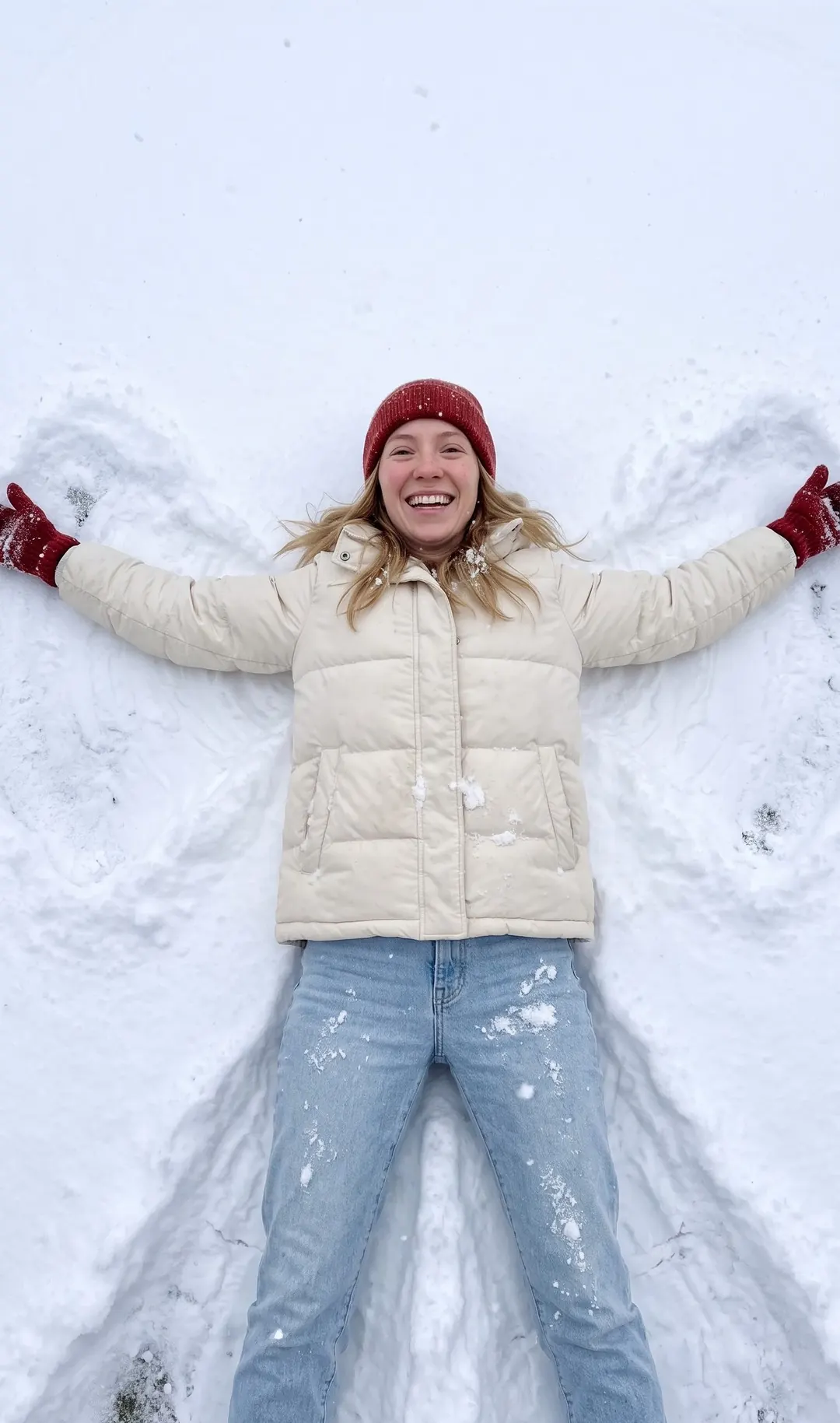
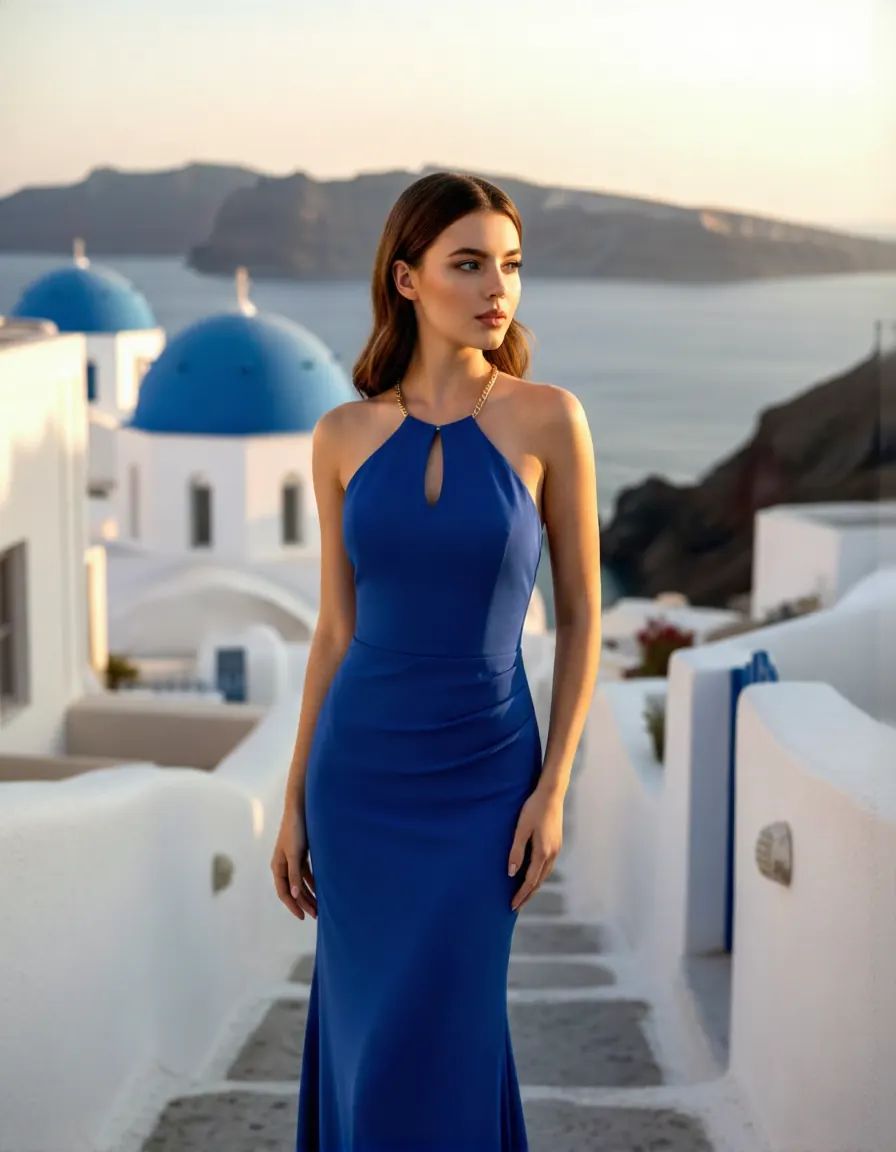
AI winter photo generator

Get the snowy winter photoshoot without the cold, the flight or the frozen fingers.

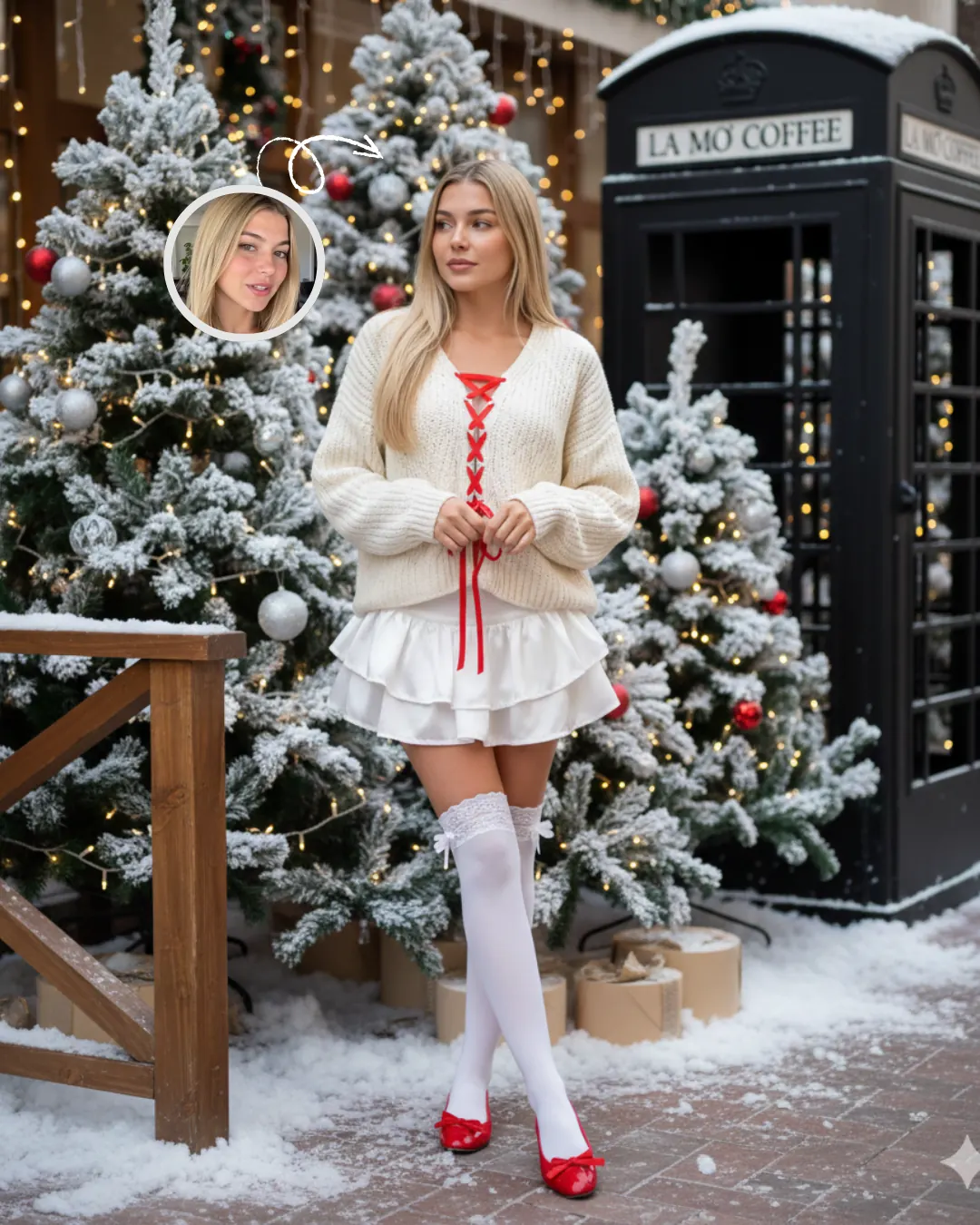
Before: the selfie usedBefore
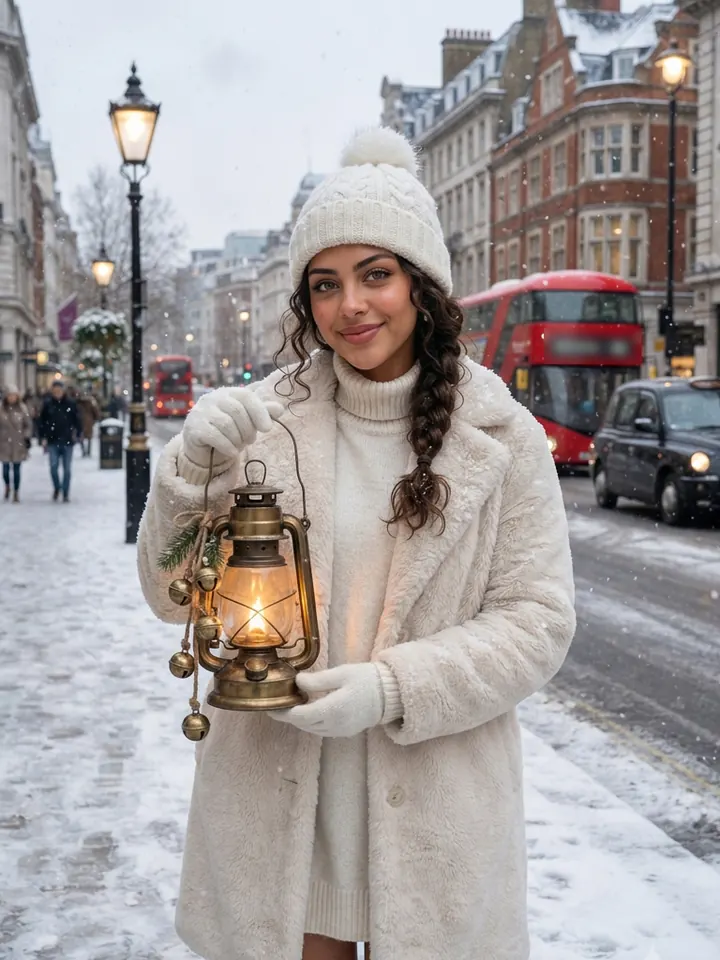
After: Snowfall Elegance style, made from the selfie in the cornerSnowfall Elegance
The selfies show fictional people made for our examples.

In short

The AI winter photo generator in Rizz AI Photo turns one selfie into a snowy winter photo, with 8 Winter Bloom scenes from a city street in falling snow and a quiet pine forest to an alpine village, the northern lights and pink tulips in the snow.

Upload one selfie, pick a scene, and in about 20 seconds you are standing in fresh snow with your own face.

All 8 Winter Bloom styles

What is an AI winter photo generator?

An AI winter photo generator takes an everyday photo of you and places you in a real looking winter scene: falling snow on a city street, a silent pine forest, a mountain village or a sky full of northern lights. Your face, hair and skin tone stay the same. The coat, the hat, the snow, the light and the location change.

It solves the classic winter photo problem. The best snow scenes are far away, the light is gone by four in the afternoon, and it is too cold to change outfits or take off your gloves for twenty takes. With a generator you need one decent selfie, taken anywhere, even somewhere it never snows.

Rizz AI Photo runs on Nano Banana 2.1, Google's Gemini image model, behind the scenes. Each Winter Bloom style has its own written direction for the place, the coat and knitwear, the falling snow and the camera, so the snowflakes, the frost and the cold light look like a real photo instead of a filter. Rizz AI Photo is an independent app and is not affiliated with Google.

Winter Bloom is not a Christmas section, so the photos work from the first snow in November all the way to the end of February. For trees, gifts and holiday parties, see the separate AI Christmas photo generator.

Snowy portraits are a favourite every year from November to February. People want a winter profile picture, a cosy post for a cold week, a card for family abroad or just proof that they had a winter at all. Many of them live somewhere warm, work all day while it is light, or simply do not want to stand in the cold for an hour. A generated winter photo gives them the scene without the trip.

The 8 Winter Bloom styles, explained

Each style is a different kind of winter photo, from city to wilderness and from wide scenes to tight portraits.

City and village

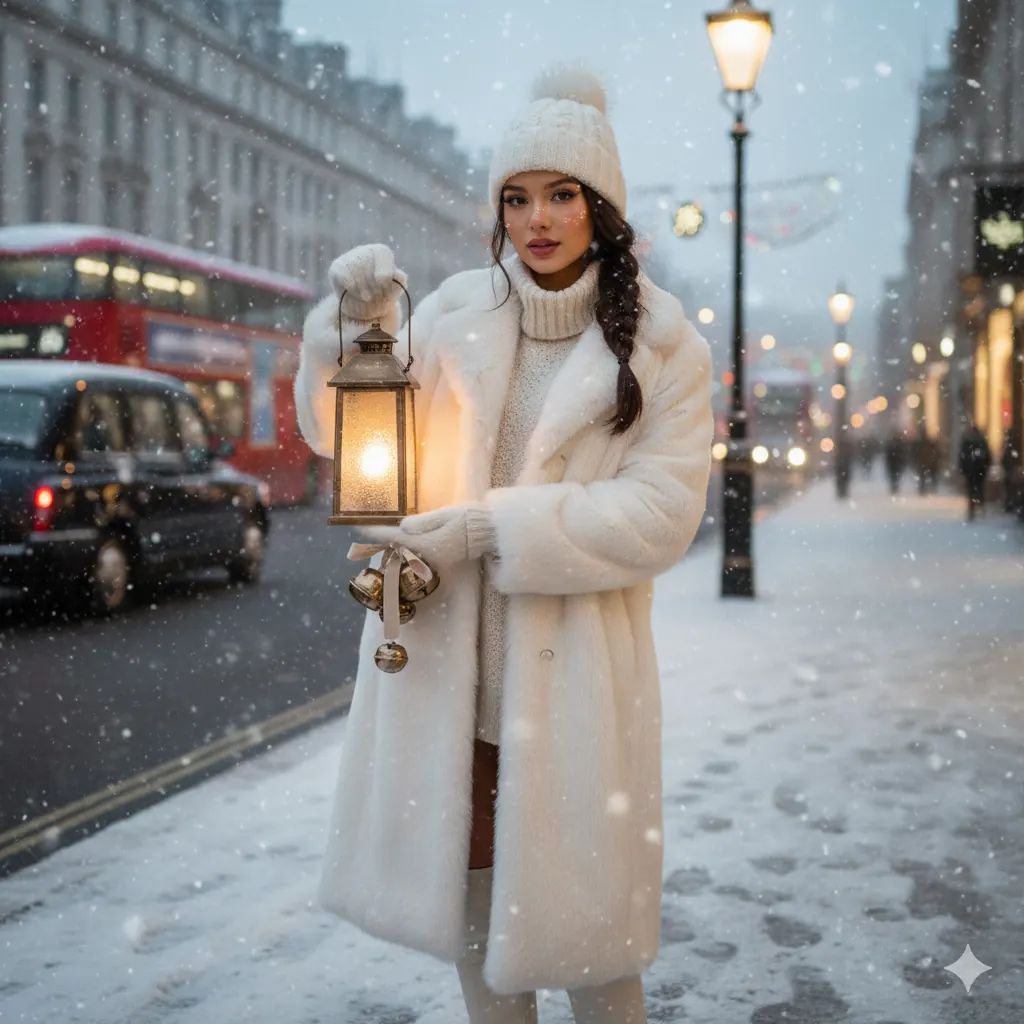
  • Snowfall Elegance: a full length shot on a snowy old city street with red double decker buses, black cabs and glowing lamp posts. Long cream coat, knit beanie and a lit lantern in your hands. Pure winter movie scene.
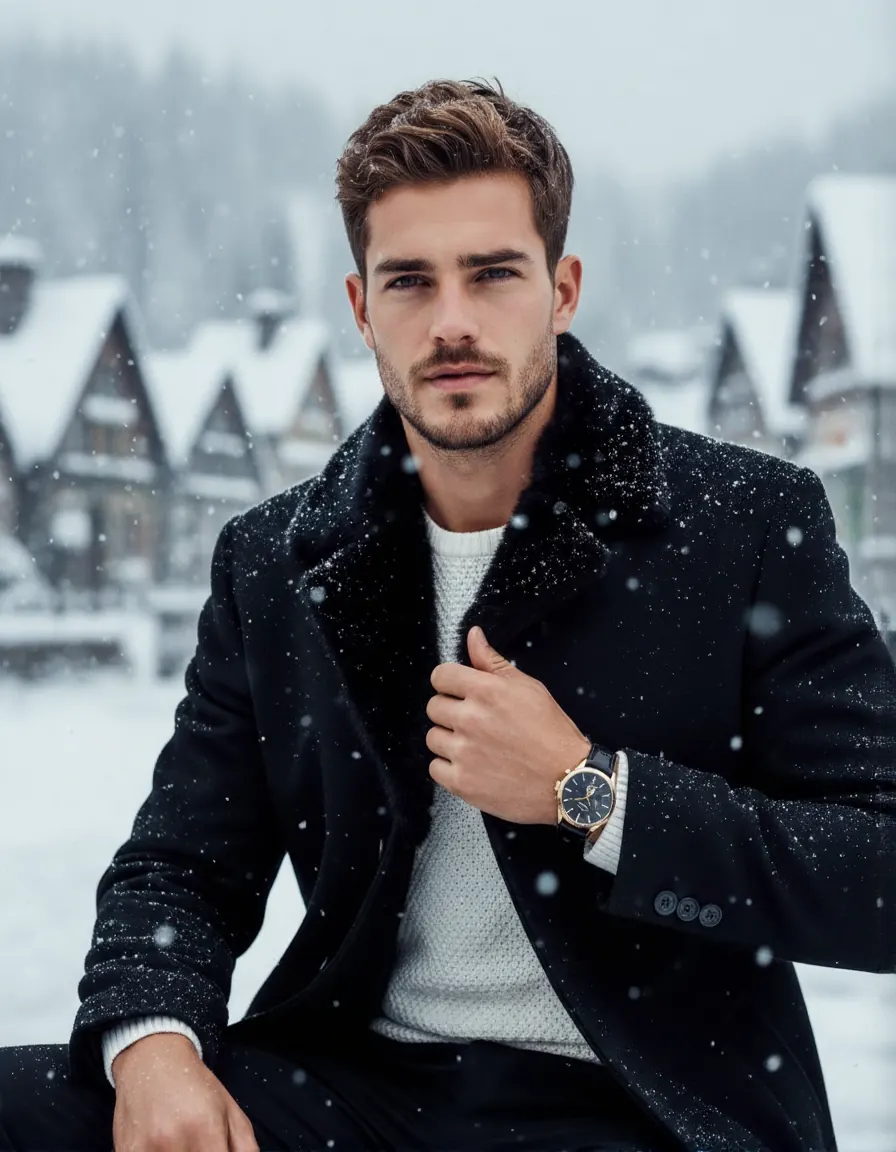
  • Snow Village: a seated portrait in front of snow covered alpine chalets in falling snow. Black wool coat with a shearling collar over a cream knit sweater. Calm, sharp and cosy at the same time.
  • La Mơ Winter: a festive outfit photo in front of a café with frosted trees, silver ornaments and a black vintage phone booth. Cream knit sweater with red lace detail, a white tiered skirt, white knee socks and red shoes.

Nature and wilderness

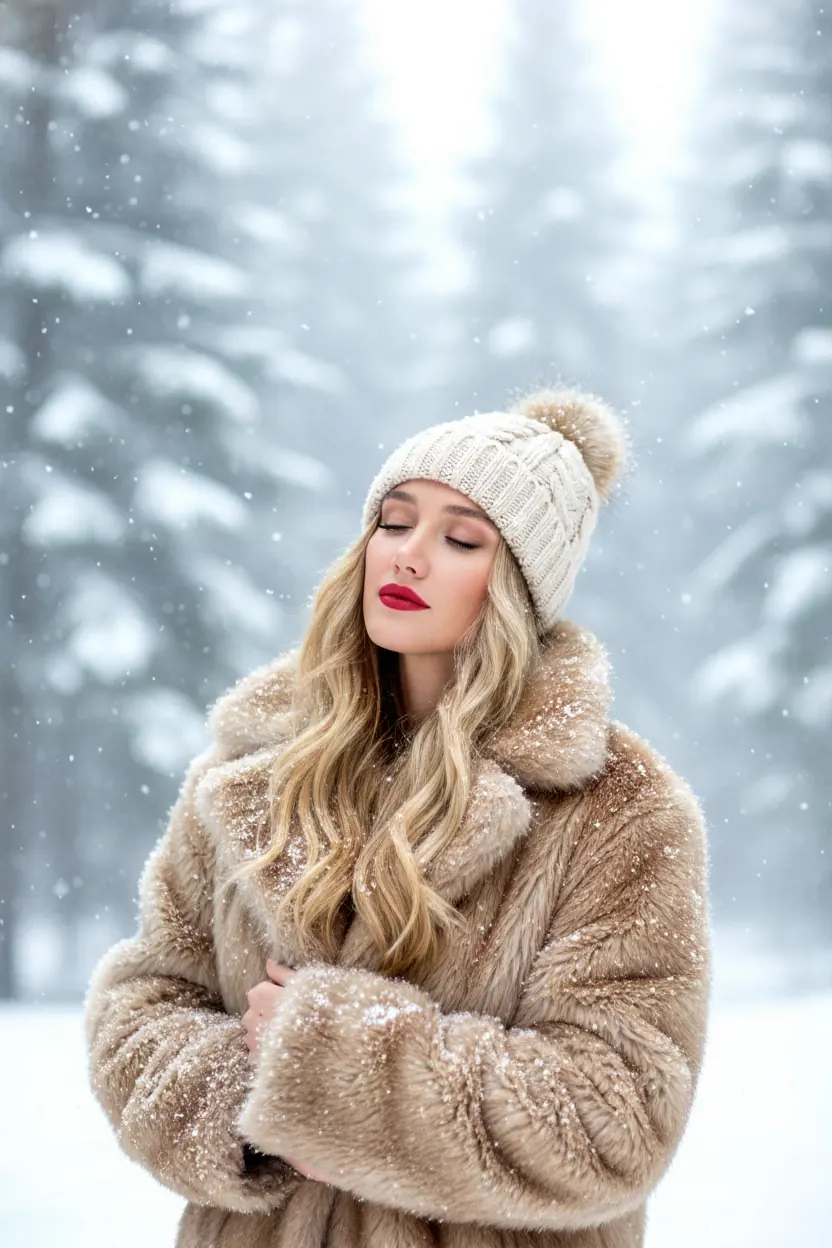
  • Peaceful Forest: eyes closed in a snowy pine forest while flakes settle on your shoulders, in a soft faux fur coat and a cream pom pom beanie. Quiet and dreamy.
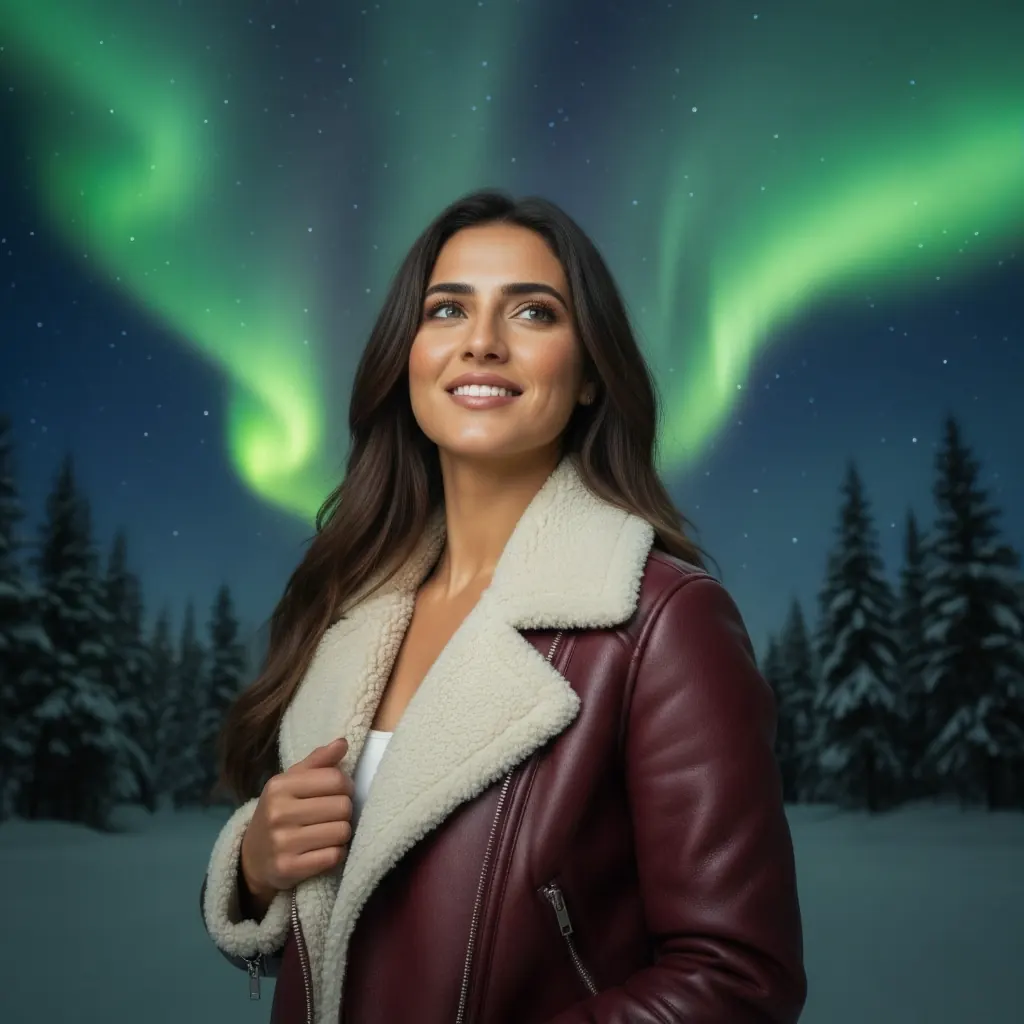
  • Aurora Glow: a night portrait under bright green northern lights above dark pines, in a burgundy leather jacket with a cream shearling collar. The most dramatic sky in the section.
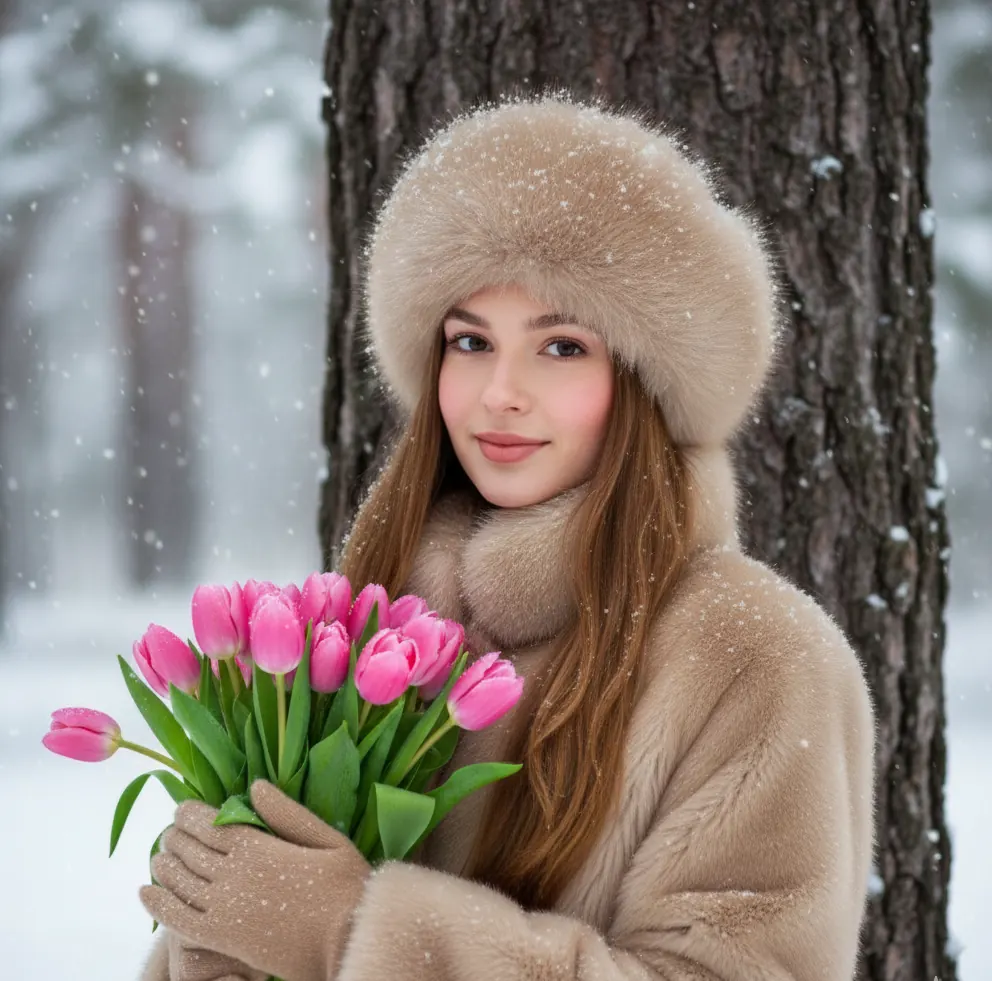
  • Blooming Tulips: leaning on a tree trunk in a snowy forest, wrapped in a faux fur hat and coat, holding a bunch of pink tulips. Winter and spring in one frame.
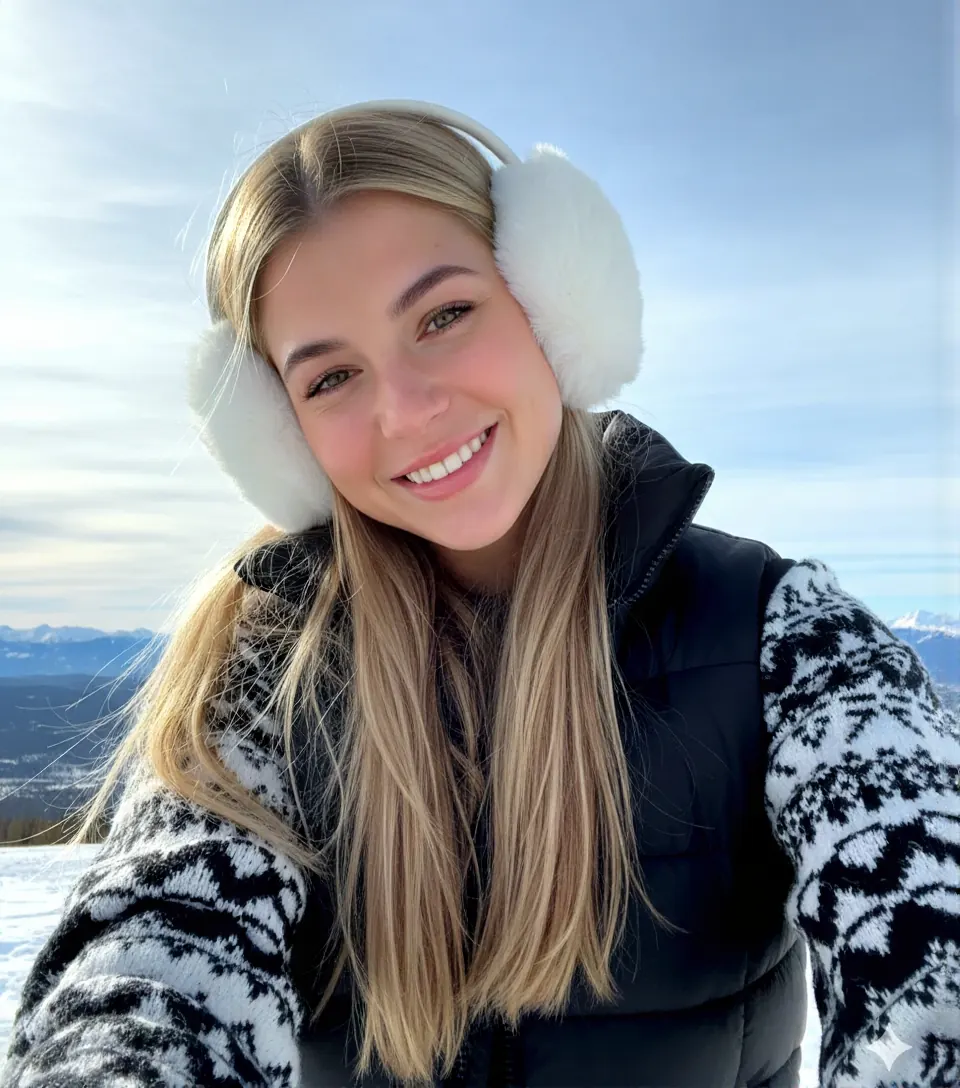
  • Winter Selfie: a bright mountain top selfie at arm's length with snowy peaks behind, white fluffy earmuffs, a black puffer vest and a patterned knit sweater. Looks like a real ski trip photo.

Close up portrait

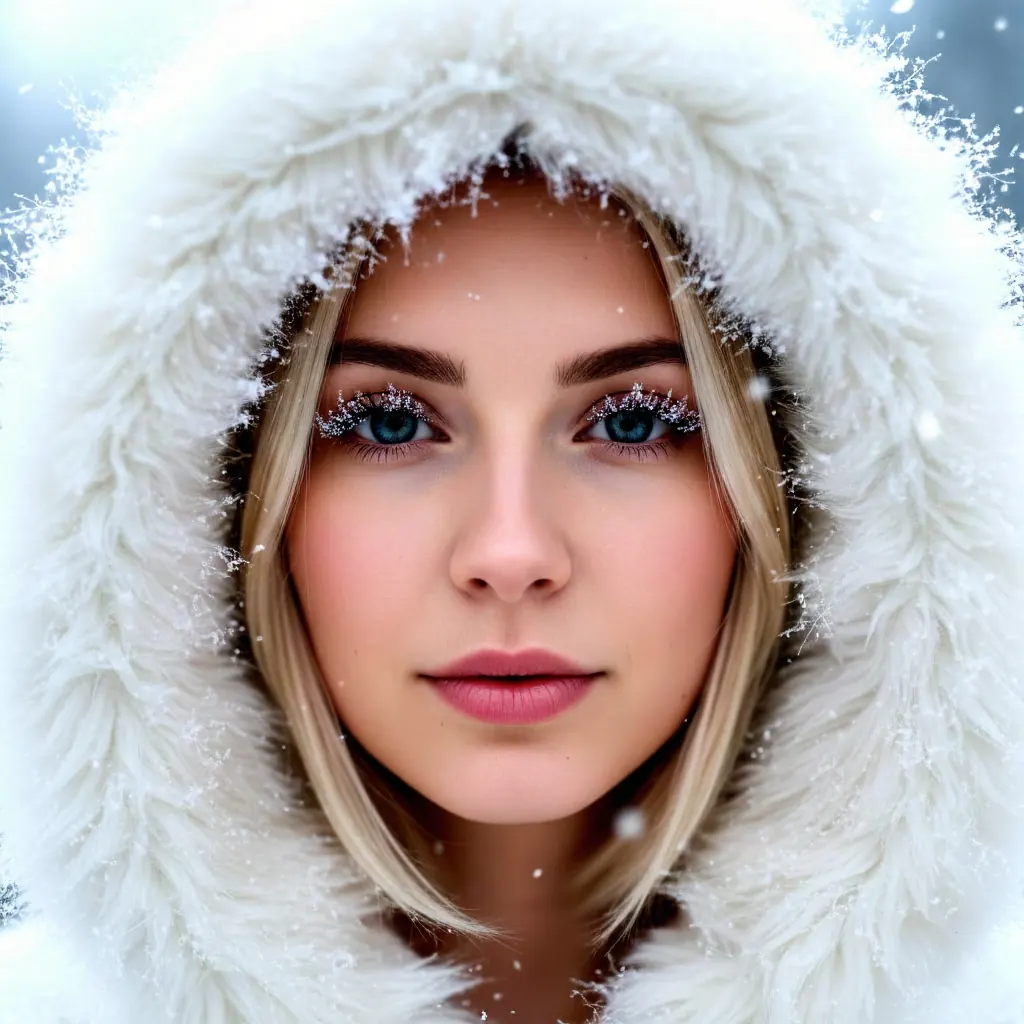
  • Snow Portrait: a tight face portrait framed by a white faux fur hood, with frost on your lashes and snowflakes in the air. Crisp, icy and perfect for a profile picture.
Pick your winter scene. All 8 Winter Bloom styles sit in their own row on the Rizz AI Photo Home screen.Try free

How to make an AI winter photo

  1. 1Download Rizz AI PhotoInstall Rizz AI Photo from the App Store or Google Play and sign in with Apple or Google.
  2. 2Open Winter BloomScroll the Home screen to the Winter Bloom row and swipe through the covers.
  3. 3Choose a sceneStart with Snowfall Elegance for a city shot, Aurora Glow for a night sky or Snow Portrait for a close up.
  4. 4Upload one clear photoUse a sharp, well lit selfie of just you, ideally waist up and looking near the camera.
  5. 5GenerateTap Generate. Your winter photo is ready in about 20 seconds.
  6. 6Compare, save and shareDrag the before and after slider, save the image to your phone or share it straight to Instagram, TikTok or a family chat. It also stays in your in app gallery.

Make a few scenes from the same selfie and you have a whole winter trip worth of photos: the city, the forest, the village and the aurora.

Which photo works best

The coat and the snow come from the style. Your face comes from your photo, so a good selfie is the single biggest factor.

  • One person per photo. The winter styles are made for a single person. Group photos can blend faces.
  • Face clearly visible. Leave off the hat and scarf in your selfie. The style adds the beanie, the hood and the earmuffs.
  • Soft daylight. Window light gives the cleanest skin tones, which matters against bright white snow.
  • Waist up or closer. A little of your shoulders and hair helps the AI keep your build and hairstyle.
  • No beauty filters. Filters remove the details that make the result look like you.
  • Any season is fine. A summer selfie works. The style handles the cold look, rosy cheeks and all.

If a result does not look enough like you, try a different, sharper photo before trying another style. A clear front facing selfie fixes most likeness problems.

Rizz AI Photo vs Gemini prompts vs a real winter shoot

Three ways to get a snowy photo of yourself this winter, and how they compare.

  • Scenes

    Rizz AI Photo Winter Bloom
    8 ready made winter scenes
    Writing prompts in Gemini
    Whatever you can describe
    A real winter trip or shoot
    Wherever you can travel
  • Keeps your face

    Rizz AI Photo Winter Bloom
    Strong, tuned per style
    Writing prompts in Gemini
    Good if you ask for it
    A real winter trip or shoot
    It is really you
  • Snow needed

    Rizz AI Photo Winter Bloom
    No
    Writing prompts in Gemini
    No
    A real winter trip or shoot
    Yes, and good weather
  • Effort

    Rizz AI Photo Winter Bloom
    One tap per scene
    Writing prompts in Gemini
    Write, test and rewrite prompts
    A real winter trip or shoot
    Travel, cold, outfit changes
  • Time

    Rizz AI Photo Winter Bloom
    About 20 seconds
    Writing prompts in Gemini
    A few minutes per try
    A real winter trip or shoot
    A trip plus editing
  • Northern lights

    Rizz AI Photo Winter Bloom
    Every time with Aurora Glow
    Writing prompts in Gemini
    If the prompt works
    A real winter trip or shoot
    Only on a lucky night
  • Cost

    Rizz AI Photo Winter Bloom
    Free to download, credits per image
    Writing prompts in Gemini
    Free within daily limits
    A real winter trip or shoot
    Travel and photographer costs

If you enjoy writing prompts, try the free ones below. If you want a reliable likeness in one tap, use the app. And if you are actually going somewhere snowy, our winter photoshoot ideas will help you plan the real thing.

Ways to use your winter photos

Winter profile pictures

Snow Portrait and Peaceful Forest crop beautifully to a circle. Switch your profile picture with the first snow and keep it until spring.

Instagram posts and stories

  1. Make a "winter dump" carousel: Snowfall Elegance, Winter Selfie, Aurora Glow and Snow Portrait from the same selfie.
  2. Post Aurora Glow at night with a calm track. Northern lights posts get saved and shared all season.
  3. Use Blooming Tulips to welcome late winter and early spring in February.
  4. Start a winter arc post with Snow Village and a caption about your goals for the season.
  5. Put your selfie last so the first slide is the scene that stops the scroll.

Seasonal greetings that are not Christmas

Not everyone sends Christmas cards. A snowy portrait works for a season's greetings card, a New Year message, a winter birthday or a simple "thinking of you" note to family far away. Add your text in any card maker app.

Dream trip mood boards

Planning a ski week or a northern lights trip? Make the photo first and pin it to your mood board. For more destinations to try, see our AI travel photo generator.

Your winter photo in 20 seconds. One selfie, 8 snowy scenes, no coat or flight required.Try free

Free AI winter photo prompts for Gemini

Prefer to do it yourself? Attach your selfie in Gemini and paste one of these. They are simpler versions of the app styles, so expect to retry a few times for the best likeness.

Snowy city street with lantern

Use my photo as the only person in the image. A full length winter photo of me on a snowy old city street at dusk, heavy snow falling, glowing lamp posts and a red double decker bus blurred behind me. Long cream wool coat, cream knit beanie and gloves, holding a small lit lantern, soft smile. Cold blue light with warm lamp glow, 50mm lens, real snowflakes, no text or logos. Keep the face, hair and skin tone exactly the same as the photo.

Skip the prompt: try the ready made styles in Rizz AI Photo →

Northern lights portrait

Use my photo as the only person in the image. A night portrait of me in a snowy clearing under bright green northern lights swirling above dark pine trees. Burgundy leather jacket with a cream shearling collar, looking up at the sky with a quiet smile. Soft light on my face, deep blue night, crisp stars, waist up, real photo look. Keep the face, hair and skin tone exactly the same as the photo.

Skip the prompt: try the ready made styles in Rizz AI Photo →

Frosty fur hood close up

Use my photo as the only person in the image. A tight close up portrait of me framed by a white faux fur hood, delicate frost on my eyelashes and eyebrows, snowflakes in the air, rosy cheeks. Bright overcast winter light, icy blue tones, sharp eyes, real skin texture, 85mm lens. Keep the face, hair and skin tone exactly the same as the photo.

Skip the prompt: try the ready made styles in Rizz AI Photo →

Mountain top winter selfie

Use my photo as the only person in the image. A bright arm's length selfie of me on a sunny snowy mountain top, white peaks and blue sky behind. White fluffy earmuffs, black puffer vest over a patterned knit sweater, big natural smile, slight lens flare, phone camera look. Keep the face, hair and skin tone exactly the same as the photo.

Skip the prompt: try the ready made styles in Rizz AI Photo →

Is it safe to use?

Use photos of yourself, or of friends and family who are happy for you to use theirs. The winter styles are fully dressed and family friendly, and they never add logos or brand names. For how your photos are handled, see our privacy policy.

More styles you might like

FAQ

What is the best AI winter photo generator?

For a strong likeness and many ready made snow scenes in one tap, an app with dedicated winter styles works best. Rizz AI Photo has 8 Winter Bloom styles, from a snowy city street to the northern lights.

Is the AI winter photo generator free?

Rizz AI Photo is free to download. Generating images uses credits from a subscription or a credit pack. The free prompts on this page also work in Gemini within its daily limits.

How do I make a snow photo of myself with AI?

Open Rizz AI Photo, scroll to Winter Bloom, pick a scene such as Snowfall Elegance, upload a clear selfie and tap Generate. The photo is ready in about 20 seconds.

Can I add snow to my photo?

Yes. Every Winter Bloom style places you in a real looking snowy scene with falling snowflakes, even if your selfie was taken in summer.

Can I make a northern lights photo of myself?

Yes. Aurora Glow puts you under bright green northern lights above a snowy pine forest at night.

Does it keep my face?

Yes. Each style is tuned to keep your face, hair and skin tone. A sharp, front facing photo of one person gives the best result.

Is this the same as the Christmas styles?

No. Winter Bloom has no trees or gifts, so the photos work all winter. For holiday scenes, use the Christmas 2026 section.

Which style is best for a winter profile picture?

Snow Portrait and Peaceful Forest crop neatly to a circle or a square around the face.

Which style looks most like a real phone photo?

Winter Selfie. It is an arm's length mountain top selfie with natural light, so it looks like a real ski trip photo.

Do I need winter clothes in my photo?

No. The coats, hats, hoods and earmuffs come from the style. Leave hats off in your selfie so your face is clear.

Can I make a winter photo with friends or family?

Not in one image. Each style is for one person per photo. Make one image each and post them together.

Can I make a winter photo for a card?

Yes. Snowfall Elegance, Snow Village and Peaceful Forest work well for a season's greetings or New Year card. Add your text in a card maker app.

Are there more winter styles?

Yes. The Triptych Series has three panel winter sets such as Soft Snowday, Silver Frost, Ice Queen Aura and City Chill Set, and Christmas 2026 has 10 holiday styles.

Can I make a winter video?

Rizz AI Photo makes still images. For a short reel, cut from your selfie to the winter photo in a video editing app or add a slow zoom.

What photo should I upload?

A sharp, well lit selfie of just you, waist up or closer, with no sunglasses, hat or beauty filter.

Keep reading

By the Rizz AI Photo team · Updated

Skip the prompt.
Get the photo.

Rizz AI Photo runs Nano Banana 2.1 behind ready made styles. Upload a selfie, tap a style, and get your image in seconds. No prompt writing needed.