AI Christmas card generator

Skip the matching sweaters and the timer on a wobbly shelf.

Before: the selfie usedBefore
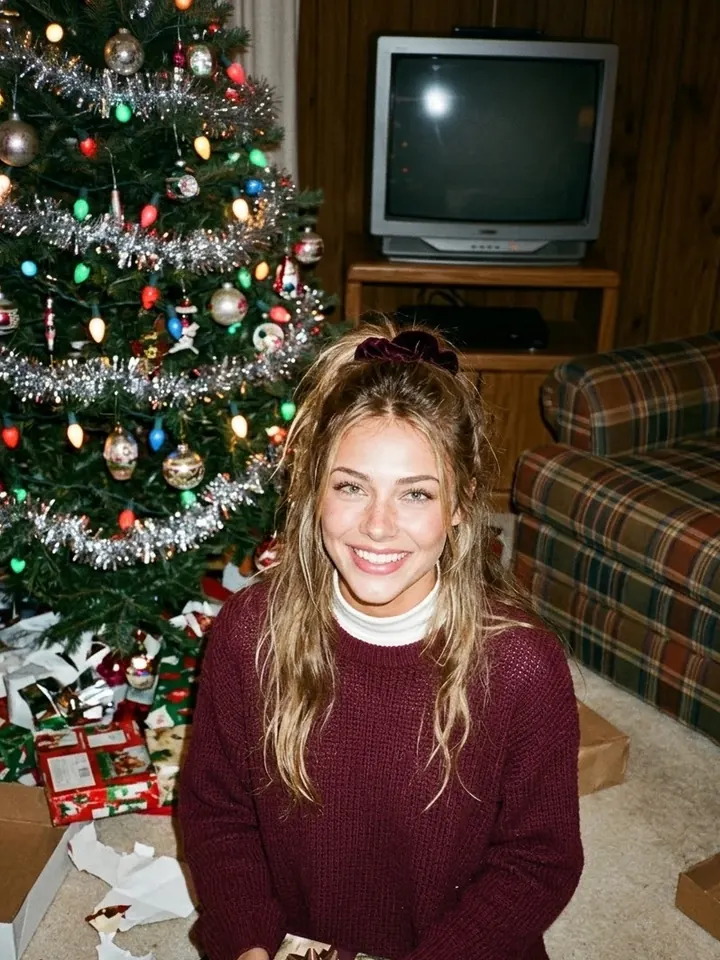
After: 90s Christmas Morning style, made from the selfie in the corner90s Christmas Morning
The selfies show fictional people made for our examples.

In short

The AI Christmas card generator in Rizz AI Photo turns one selfie into a card ready photo: Tree Glow Card by a lit tree with space for a greeting, Snowy Porch Card on a wreathed front step, the minimal Black and White Christmas, the bold Velvet Bow Studio and more, with your face kept.

Upload one selfie, pick a card style, and get a festive photo that is ready for a printed or digital Christmas card in about 20 seconds.

Christmas card styles from one selfie

What is an AI Christmas card generator?

An AI Christmas card generator takes an ordinary photo of you and turns it into the kind of picture people put on the front of a holiday card: warm tree lights, snow on a porch, a red studio backdrop or a calm black and white portrait. It keeps your face, hair and skin tone, and builds the festive scene, outfit and lighting around you.

Most "Christmas card makers" online are template editors. You bring the photo, they add a frame and a font. The hard part is the photo itself, and that is what this page is about. Rizz AI Photo makes the photo. You then drop it into any card template, add your greeting and print or send it.

That split matters because a good card photo needs a few things a normal selfie does not have: a clear festive setting, soft flattering light, a calm pose, and empty space where the words can sit. The card styles below are built around exactly that.

The best Christmas card styles, explained

Classic card photos

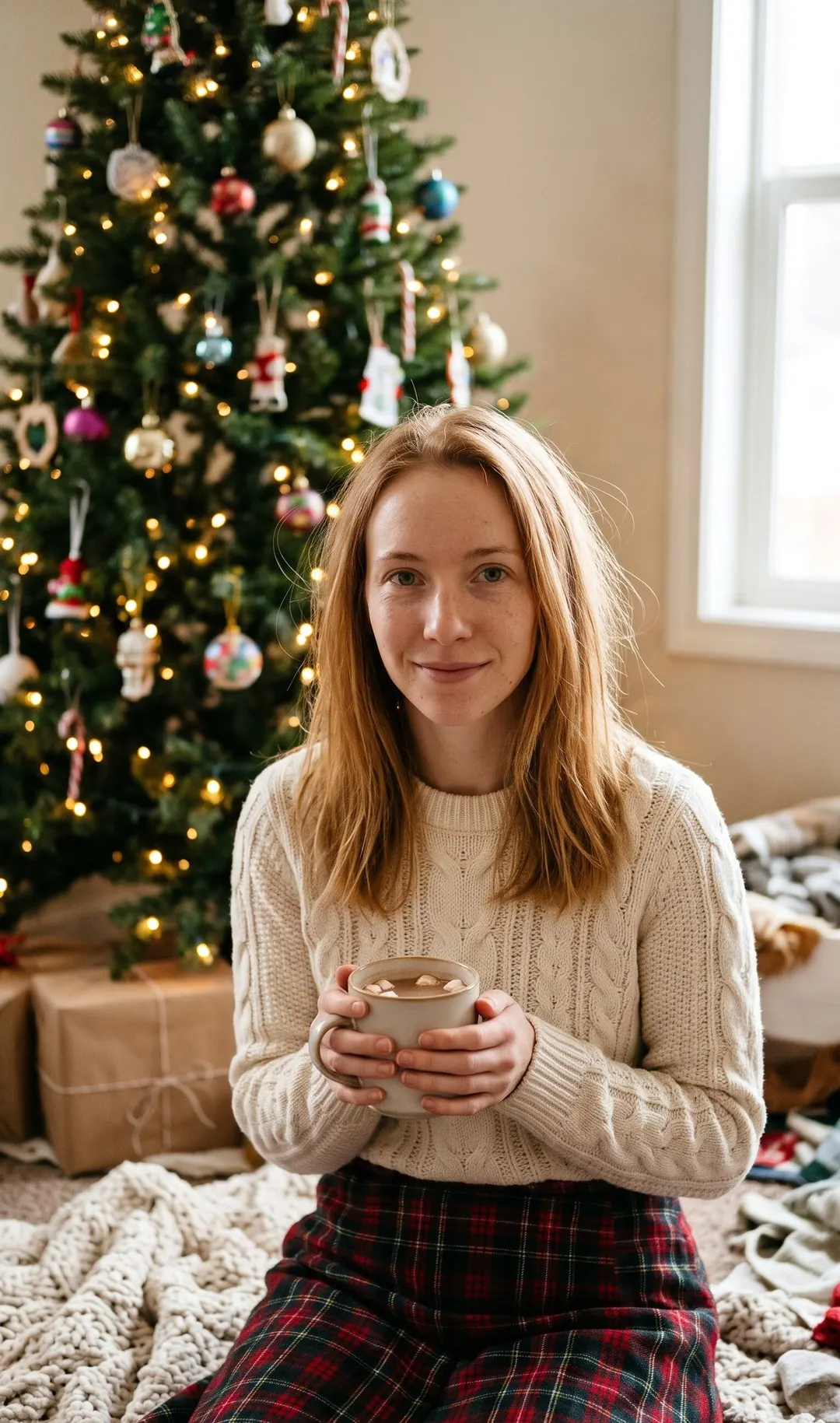
  • Tree Glow Card: you on the living room floor by a lit tree, holding a mug of cocoa, in a cream cable knit sweater. Soft window light and warm tree glow, with space above your head for the greeting. The safest pick for a traditional card.
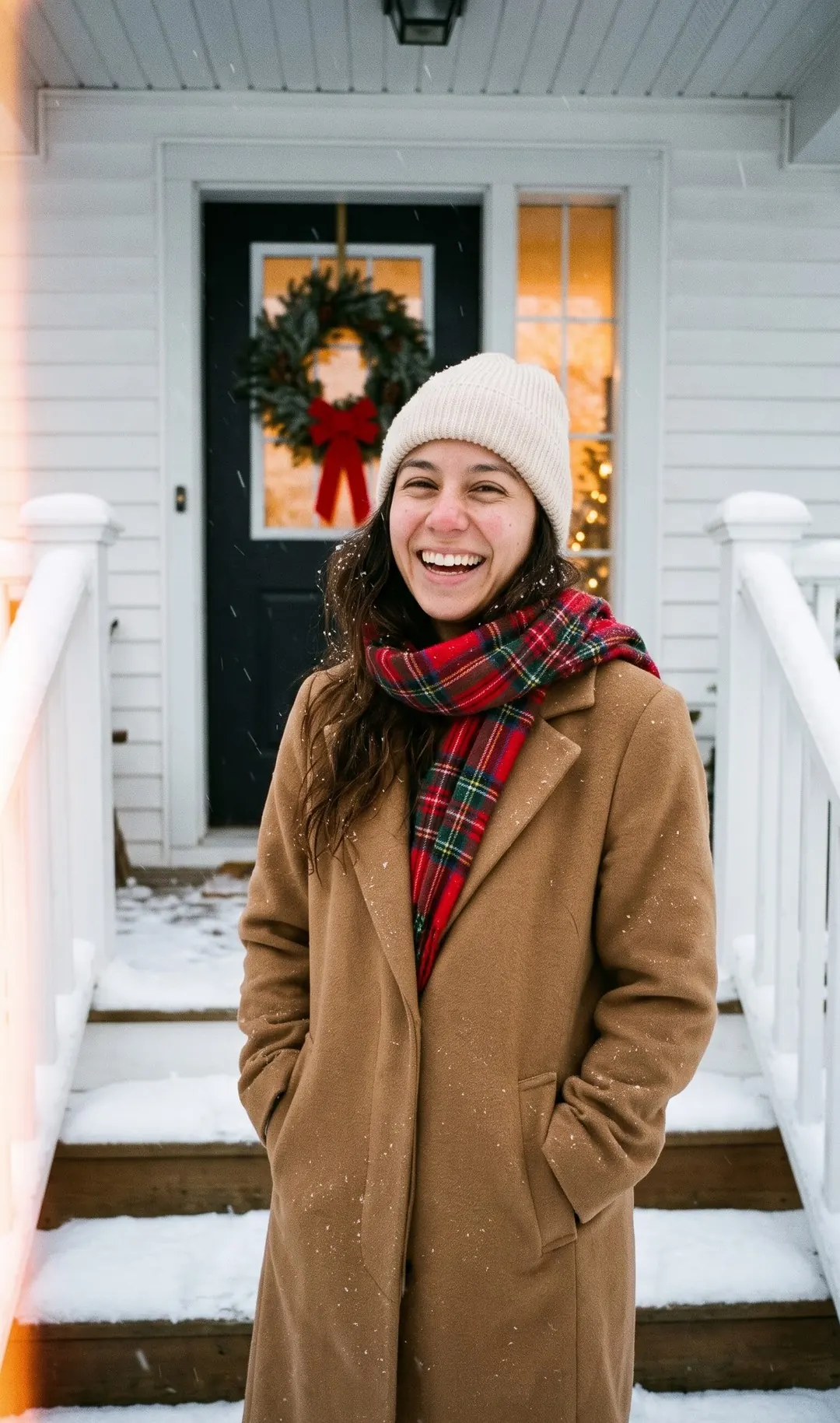
  • Snowy Porch Card: laughing on the front steps of a white wooden house after fresh snow, wreath on the door, plaid scarf, with the small flash and grain of a disposable camera. Feels candid and real, like a photo a friend took.
  • Black and White Christmas: a calm editorial portrait on a stool beside a small lit tree, in a black turtleneck and long coat, with film grain. The most elegant choice for a minimal card with one line of text.
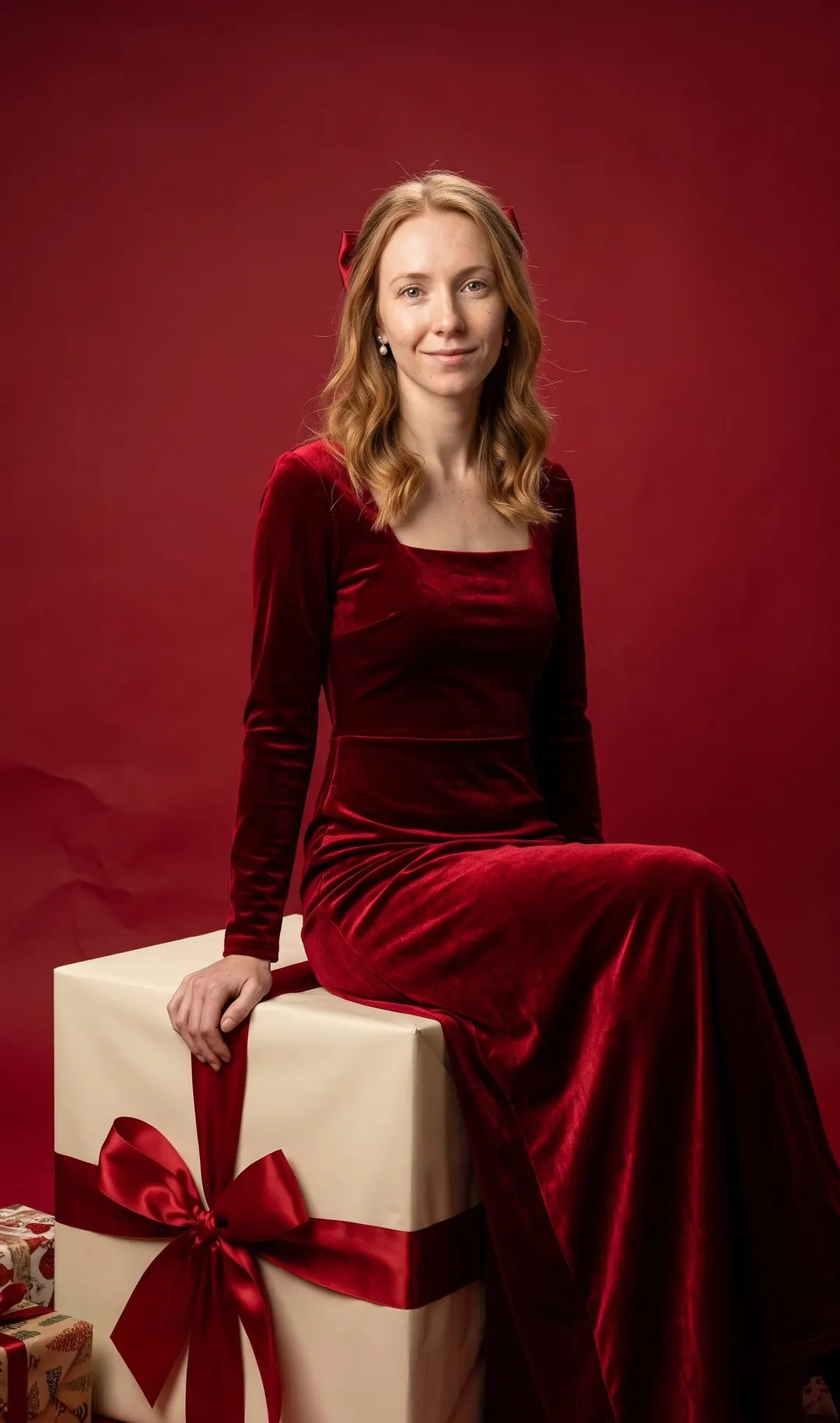
  • Velvet Bow Studio: a polished studio portrait on a deep red backdrop, sitting on a giant gift box with a huge red satin bow, in red velvet or a velvet tuxedo jacket. Bold, glossy and very readable at small sizes.

Fun and playful card photos

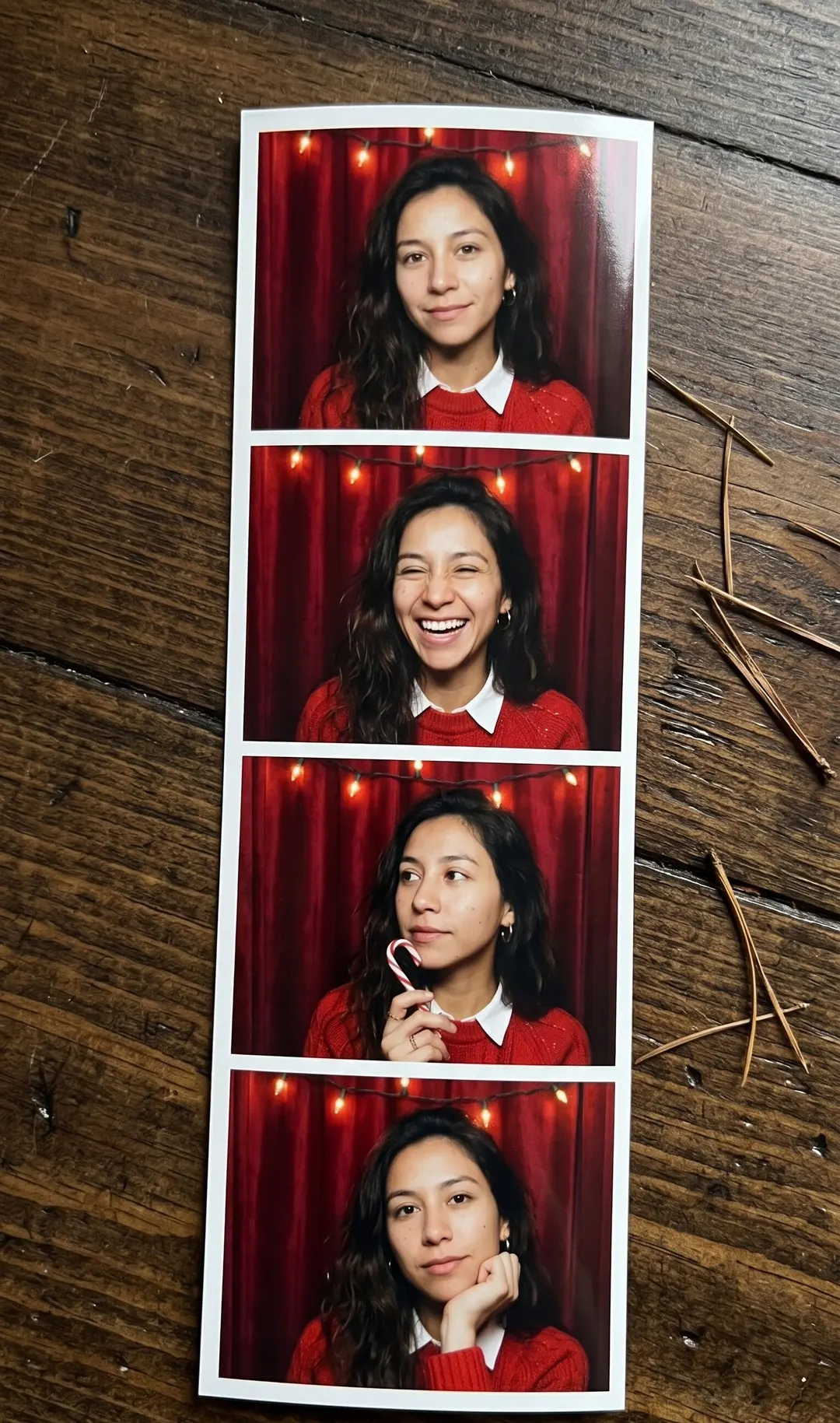
  • Photo Booth Strip: a printed strip of four booth frames on a red velvet curtain with Christmas lights: a smile, a laugh, a candy cane, a calm look. Perfect for a tall card or the back of a folded card. See our Christmas photo booth strip guide.
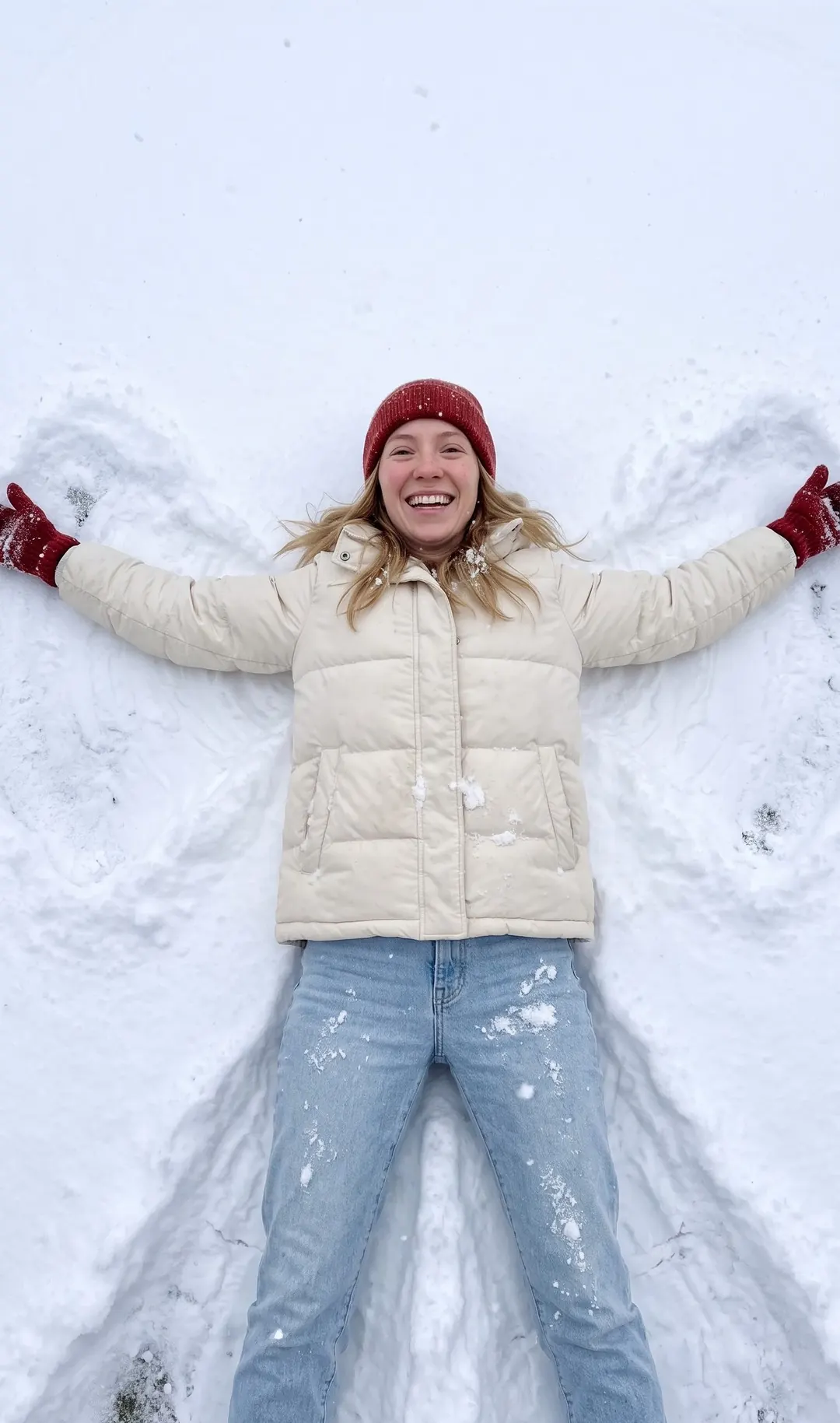
  • Snow Angel: shot from straight above while you lie in fresh snow making a snow angel, laughing, with snowflakes in your hair. A joyful square card.
  • 90s Christmas Morning: a late 90s film snapshot on the carpet in front of a tree full of big coloured bulbs and tinsel, holding a present, with an orange date stamp in the corner. Great for a nostalgic or funny card.
  • Ugly Sweater Flash: a proud, deadpan party photo in a gloriously tacky knitted sweater, lit by harsh flash. The card for friends and the office. More ideas in our ugly sweater photo ideas.

Want a wider winter scene instead of a living room? The AI winter photo generator has snowy city streets, alpine chalets and northern lights that also make lovely cards.

Make your card photo now. Tree Glow Card, Snowy Porch Card and the rest of Christmas 2026, about 20 seconds each.Try free

How to make an AI Christmas card from a selfie

  1. 1Download Rizz AI PhotoInstall Rizz AI Photo from the App Store or Google Play and sign in with Apple or Google.
  2. 2Open the Christmas 2026 rowFind Christmas 2026 at the top of the Home screen and swipe through the covers.
  3. 3Pick a card styleStart with Tree Glow Card for a classic card or Black and White Christmas for a minimal one.
  4. 4Upload one clear photoUse a sharp, well lit photo of just you, waist up or closer, with your face clearly visible.
  5. 5Generate and saveTap Generate. Your card photo is ready in about 20 seconds. Check the likeness with the before and after slider, then save it to your camera roll.
  6. 6Add your greetingOpen the photo in any card template app or editor, place your greeting in the empty space, then print it or share it as a digital card.

Make two or three versions with different styles before you decide. A card is something people keep on the fridge for weeks, so it is worth picking the one you like best.

Turning the photo into a finished card

Where to put the greeting

Put the text where the photo is calm: the empty wall above your head in Tree Glow Card, the dark background in Black and White Christmas, or the red backdrop in Velvet Bow Studio. Never put words across your face. A short line reads better than a long one: "Merry Christmas from Sam" beats a full paragraph on the front. Save the longer message for the back or the inside.

Sizes that print well

  • Flat or folded 5 by 7 inch card: the most common card size in the US and the easiest to print at a local photo counter or online card shop.
  • A6 or A5 card: the usual sizes in the UK and Europe.
  • Square card: works well with Snow Angel and Velvet Bow Studio, which have strong centred compositions.
  • Tall card or bookmark: a natural fit for Photo Booth Strip.

Before you order a big batch, print one copy at home or order a single sample. Colours on paper are always a little darker than on a phone screen, so a slightly bright photo usually prints best.

Digital cards

Not mailing anything this year? Send the photo with your greeting on WhatsApp, iMessage or email, post it as an Instagram or Facebook story, or set it as your profile picture for December. A vertical card style such as Tree Glow Card fills a phone screen nicely.

Cards for the whole family

Rizz AI Photo makes one person per photo, which keeps every face accurate. For a family card, make one image per person in the same style, then place them side by side in a grid card template. Using the same style for everyone keeps the light and colours consistent, so the grid looks like one shoot.

Which selfie makes the best card photo

  • One person only. Crop out anyone else before you upload.
  • A warm, natural expression. A real smile works best for Tree Glow Card and Snowy Porch Card. A calm look suits Black and White Christmas.
  • Face clearly visible. No sunglasses, hats pulled low, masks or hands near the face.
  • Daylight from a window. Soft, even light keeps your skin tone true, which matters when the scene is full of warm tree glow.
  • Waist up or closer. The AI needs a good view of your face to keep the likeness.
  • No beauty filters. Filtered photos lose the details that make the result look like you.

Free Christmas card prompts for Gemini

Prefer to write prompts? Upload your selfie to the Gemini app and paste one of these. Each one asks for empty space for your greeting and keeps your face. Gemini image generation is free within Google's daily limits. For 30 more festive prompts, see our Christmas AI photo prompts.

Cosy tree card

Turn this selfie into a vertical Christmas card photo. Keep the face, identity, skin tone and hairline exactly the same. Natural skin texture, no beauty filter. Only one person in the image. Sitting on a rug beside a lit Christmas tree with warm white lights, cream knit sweater, holding a mug of cocoa, soft window light. Leave plain empty wall space in the top third for a greeting. No text in the image.

Skip the prompt: try the ready made styles in Rizz AI Photo →

Snowy front door card

Create a Christmas card photo from this selfie. Keep the face, identity, skin tone and hairline exactly the same. Natural skin texture, no beauty filter. Only one person in the image. Standing on the front steps of a house after fresh snow, a green wreath with a red ribbon on the door behind, plaid scarf, laughing, natural daylight with a soft camera flash. Leave sky or wall space at the top for a greeting. No text.

Skip the prompt: try the ready made styles in Rizz AI Photo →

Minimal black and white card

Make an elegant black and white holiday portrait from this selfie for a minimal Christmas card. Keep the face, identity, skin tone and hairline exactly the same. Natural skin texture, no beauty filter. Only one person in the image. Black turtleneck, seated on a simple stool beside a small lit tree, dark plain background on one side for text, fine film grain. No text in the image.

Skip the prompt: try the ready made styles in Rizz AI Photo →

Red studio gift card

Turn this selfie into a festive studio portrait for a Christmas card. Keep the face, identity, skin tone and hairline exactly the same. Natural skin texture, no beauty filter. Only one person in the image. Deep red seamless backdrop, sitting on a large wrapped gift box with a big red satin bow, red velvet outfit, bright even studio lighting, square composition with space above the head. No text.

Skip the prompt: try the ready made styles in Rizz AI Photo →

AI card photo vs a photo studio vs a template card

  • What you need

    Rizz AI Photo card styles
    One selfie
    Holiday photo studio
    A booking and an outfit
    Template card with an old photo
    Any existing photo
  • Time

    Rizz AI Photo card styles
    About 20 seconds per photo
    Holiday photo studio
    A session plus editing time
    Template card with an old photo
    A few minutes
  • Festive setting

    Rizz AI Photo card styles
    Tree, porch, studio, snow and more
    Holiday photo studio
    Usually one or two sets
    Template card with an old photo
    Only what is in your photo
  • Looks like you

    Rizz AI Photo card styles
    Strong, tuned per style
    Holiday photo studio
    Exactly you
    Template card with an old photo
    Exactly you
  • Cost

    Rizz AI Photo card styles
    Free to download, credits per image
    Holiday photo studio
    A paid session
    Template card with an old photo
    Card printing only
  • Best for

    Rizz AI Photo card styles
    Fast, festive card photos
    Holiday photo studio
    Big family portraits
    Template card with an old photo
    Reusing a favourite photo

When to make and send your card

  1. Late November to early December: make your photo and order prints. Card shops get busy as December goes on.
  2. First half of December: mail cards that travel abroad or across the country.
  3. Mid December: mail local cards.
  4. Any time up to Christmas Eve: send digital cards and stories. They arrive instantly.

Postal deadlines change every year and by country, so check your local postal service for the exact last posting dates.

Get your card photo done today. One selfie, a festive card photo in about 20 seconds. Free to download on iPhone and Android.Try free

More styles you might like

FAQ

Is there a free AI Christmas card generator?

You can make a card photo free in Gemini with one of the prompts on this page, within Google's daily limits, then add text in a free card template app. Rizz AI Photo is free to download and has ready made card styles; generating images uses credits from a subscription or a credit pack.

Can I make a Christmas card from my own photo?

Yes. Upload a selfie to Rizz AI Photo, choose a card style such as Tree Glow Card, and the app builds the festive scene around you while keeping your face. Then add your greeting in any card template.

Does Rizz AI Photo add the greeting text?

No. The app makes the photo and leaves space for your words in styles like Tree Glow Card. Add the greeting in a card template app or photo editor, so you can choose the exact font and wording.

Which style is best for a traditional Christmas card?

Tree Glow Card is the most classic: you by a lit tree with cocoa and a cosy sweater, with empty space above for the greeting. Snowy Porch Card is a close second.

Which style is best for a minimal or modern card?

Black and White Christmas. It is calm, elegant and has a dark background that suits one short line of white text.

Can I make a family Christmas card?

Make one photo per person in the same style, then combine them in a grid card template. Rizz AI Photo works with one person per photo, which keeps every face accurate.

Can I print the photo?

Yes. Save it to your camera roll and print it like any photo. A 5 by 7 inch card is the easiest size. Order one sample first to check the colours on paper.

How long does it take?

About 20 seconds per photo once you have picked a style and uploaded your selfie.

Will it look like me?

Each style is tuned to keep your face, hair and skin tone. A sharp, front facing photo of one person in daylight gives the best likeness.

Can I use a photo of my child for a card?

Rizz AI Photo styles are made for adults. For a card with children, use a real family photo in a card template.

Can I send it as a digital card?

Yes. Share the saved photo on WhatsApp, iMessage, email or as an Instagram story. A vertical style such as Tree Glow Card fills a phone screen well.

Can I make a funny Christmas card?

Yes. Ugly Sweater Flash and 90s Christmas Morning are made for funny and nostalgic cards, and Photo Booth Strip gives you four poses on one strip.

Do I need to write prompts in the app?

No. Every style already contains a tuned prompt. You only upload a photo and tap Generate.

Is my photo safe?

Use photos of yourself or of people who agreed. For how uploaded photos are handled, see the Rizz AI Photo privacy policy.

When should I order printed Christmas cards?

Make your photo and order prints in late November or early December, and check your postal service's last posting dates, which change every year.

Keep reading

By the Rizz AI Photo team · Updated

Skip the prompt.
Get the photo.

Rizz AI Photo runs Nano Banana 2.1 behind ready made styles. Upload a selfie, tap a style, and get your image in seconds. No prompt writing needed.